Market leaders Nokia are usually among the key news makers at the Mobile World Congress. By using a clever marketing move to postpone the announcement of their 8 megapixel flagship Nokia N86 8MP for the second day of the MWC 2009, they really got all the attention to themselves.
And we gotta admit Nokia, you really had us there for half a day, fooling us into believing that you won't be revealing an all-in-one flagship as an answer to the pressure of other manufacturers such as Samsung and LG.
Nokia N86 8MP
The Nokia N86 8MP leaked yesterday with its full specs available, however it was only today that we could lay our hands on it.
The goodies on board the Nokia N86 8MP include 8GB of internal memory, a microSDHC card slot, a 2.6-inch OLED screen, FM transmitter, Wi-Fi and GPS connectivity, a 3.5mm audio jack and TV out. There's also quad-band GSM and tri-band HSDPA support for a truly worldwide voice and data roaming. Nokia N86 8MP
Photography-wise, the N86 8MP promises unmatched performance that's closing the gap between cameraphones and point-and-shoots. It's the first and only cameraphone to offer variable aperture values and a 28mm wide angle lens.
You can see the difference the wide angle lens makes when compared to a regular cameraphone lens. Here are two samples shot simultaneously from one and the same position with Nokia N86 8MP and another Nokia phone. The samples are downsampled to 800x600 pixels. Guess who's got the wider lens! Camera samples: comparing Nokia N86 8MP wide camera lens with a standard one
The first benefit of the variable aperture (going through F2.4/F3.2/F4.8) is that at F2.4 the camera has more light to work with as compared to the standard F2.8 value of all cameraphones we've seen. The second benefit is that when there's enough light and the aperture closes a bit (F3.2/F4.8) the resulting images are usually sharper. Nokia N86 8MP viewfinder and camera lens
Here are several full-res camera shots taken with the Nokia N86 8MP at the Nokia booth. If you go through the images EXIF data however you would see that it says Nokia N85 instead of N86, and the aperture value is F2.8, which doesn't really match what Nokia advertized. We guess the N86 units we saw are too early to really show their potential. Some of those were labeled as Nokia N85 8MP straight on the front panel - so it's understandable. Nokia N86 8MP camera samples
The dual slider design has been a traditional Nokia thing ever since the original Nokia N95. It's a really cool solution and with the Nokia N86 8MP the keys have excellent ergonomics. The dual-slider form factor of the Nokia N86 8MP offers great music/gallery/gaming shortcut keys
We actually loved the Nokia N96 kickstand, and you can bet that we dig the N86 one as well. By the way, the Sony Ericsson W995 also has a clever kickstand solution that's worth a look as well. Nokia N86 8MP has got a really cool kickstand
The Nokia N86 8MP runs on the Feature Pack 2 of the S60 Symbian user interface. It's nothing new actually, but what you may notice about all new Nokia smartphones announced this week is that they have some newly customized interface graphics and it's all about transition effects. Every Nokia smartphone comes with different set of transition effects and they all look lovely.
It's all about Ovi as well - Ovi integration can be spotted throughout the whole user interface, and there is even an Active Standby plug-in now that shows how many of your your Ovi Chat contacts are online. Nokia N86 8MP in white
The Nokia N86 8MP is one really nice smartphone with rich equipment. Perhaps the only disappointment is the screen size - we couldn't help but sigh over Nokia N95 8GB 2.8-inch screen. Camera-wise N86 8MP seems to shorten the distance to point-and-shoot digicams quite successfully. It's camera performance is yet to stand trial by fire but the specs look just impressive.
The only thing that seems to be missing from the Nokia portfolio now is an 8 megapixel cameraphone with full touch UI - something along the lines of Samsung Omnia HD
Review based on a production Nikon D90 with firmware V1.0
Almost exactly two years after the D80 was announced comes its replacement, the rather predictably named D90. The D80 has been one of Nikon's quiet successes, and even today, despite being positively Methuselah-like in digital camera terms it continues to sell and often makes its way into our top 10 most clicked on cameras. Because it looks so similar to the D80 the D90 appears at first glance to be one of those rather subdued incremental upgrades, but dig a little deeper and you'll find there's plenty to keep Nikon fans happy.
First and foremost there's a new CMOS sensor, which Nikon claim produces D300 quality output at up to ISO 6400 and - one of several features to 'trickle down' from higher models - the same highly acclaimed 3.0-inch VGA screen as the D3/D300. Naturally it has Live View with contrast-detect AF and it would have been surprising had it not sported some form of dust removal system. More surprising is the inclusion of the world's first DSLR movie mode (720p HDTV quality, no less) and HDMI output, though as we'll see later it does come with some limitations. A lot of the core photographic spec is the same as or very similar to the D80, though there is a new shutter and an implementation of the 3D tracking AF seen on the D3/D300.
And it's not just the high end models that have lent features and technology to the D90; the user interface has been given the same user-friendly treatment as the D60, as have the retouching options. As it was explained to us the D90 is intended to appeal to the broadest audience of any Nikon SLR, from first-time 'step up' customers moving from a compact to serious amateurs wanting comprehensive photographic control without the cost and weight of a D300. Whether the D90 is as capable as its feature set suggests, we'll see as the review unfolds.
3.0-inch 920,000 pixel (VGA x 3 colors) TFT-LCD (same as D3 and D300)
Live View with contrast-detect AF, face detection
Image sensor cleaning (sensor shake)
Illuminated focus points
Movie capture at up to 1280 x 720 (720p) 24 fps with mono sound
IS0 200-3200 range (100-6400 expanded)
4.5 frames per second continuous shooting (buffer: 7 RAW, 25 JPEG fine, 100 JPEG Normal)
Expeed image processing engine
3D tracking AF (11 point)
Short startup time, viewfinder blackout and shutter lag
Slightly improved viewfinder (96% frame coverage)
Extensive in-camera retouching including raw development and straightening
Improved user interface
New optional compact GPS unit (fits on hot shoe)
Same battery and vertical grip as D80
Vignetting control in-camera
72 thumbnail and calendar view in playback
Nikon D90 vs D80: Key Differences
Although it's had a bit of a design refresh with slightly sharper lines, the D90 is externally very similar to its predecessor (dimensions are identical, though it is heavier). Looking at the differences it's obviously a solid incremental upgrade rather than a total reinvention of the popular D80, with several key improvements (most importantly the sensor and screen) and a welcome smattering of must-have 2008 features (live view, dust removal). Oh yes, and of course there's that one little new feature sitting at the back of the classroom with its hand waving in the air, shouting 'Sir! Sir!'; the 'world's first' DSLR movie mode.
12.3 MP CMOS sensor (D80: 10.2 MP CCD)
Dust removal system
Bigger, better screen (as D3, D300)
Live View with contrast detect AF
Movie Mode
Wider ISO range, upgraded AF system (3D tracking, face detection)
Active D-Lighting, vignetting control and extra retouching options
Automatic chromatic aberration correction
Picture Control presets
Faster continuous shooting and larger buffer
Pictmotion slideshows
Compared to the Nikon D80, major feature and specification differences
As you can see from the table below the D90 carries some quite significant improvements compared to the D80.
Nikon D90
Nikon D80
Sensor
• 12.3 million effective pixels
• 23.6 x 15.8 mm CMOS (DX format)
• 10.2 million effective pixels
• 23.6 x 15.8 mm CCD (DX format)
Image sizes
• 4,288 x 2,848 (12 MP)
• 3,216 x 2,136
• 2,144 x 1,424
• 3872 x 2592 (10.0 MP)
• 2896 x 1944
• 1936 x 1296
Sensor cleaning
• Image Sensor Cleaning
• Image Dust Off reference data (optional Capture NX 2 software required)
• Image Dust Off reference data (optional Capture NX software required)
Autofocus
• 11 area TTL
• Nikon Multi-CAM1000
• 11 area TTL
• Nikon Multi-CAM 1000
Lens servo
• Single-servo AF (AF-S)
• Continuous-servo AF (AF-C)
• Automatic AF-S/AF-C (AF-A) • 3D Tracking AF (11 points)
• Manual focus (M)
• Single-servo AF (AF-S)
• Continuous-servo AF (AF-C)
• Automatic AF-S/AF-C (AF-A)
• Manual focus (M)
Sensitivity
• ISO 200 - 3200
• ISO 100-6400 with boost
• ISO 100 - 1600
• Up to ISO 3200 with boost
Built-in flash
Guide number 17 (ISO 200)
Guide number 13 (ISO 100)
Active D-lighting
Can be selected from Auto, Extra high, High, Normal, Low, or Off
No
Continuous
• 4.5 fps
• 23 / 6 frames (JPEG / RAW)
• 3 fps
• 23 / 6 frames (JPEG / RAW)
White balance
• Auto
• 6 presets
• Kelvin color temperature
• Manual preset (immediate or from photo)
• Auto
• 6 presets
• Kelvin color temperature
• Manual preset (immediate or from photo)
Image presets
• Standard
• Neutral
• Vivid
• Monochrome
• Landscape
• Portrait
• Storage for up to nine custom Picture Controls
• Normal
• Softer
• Vivid
• More Vivid
• Portrait
• B&W
• D-Lighting
• Red-eye reduction
• Trimming
• Overlay
• Monochrome and Filter
• Small picture
• Image overlay
Movie mode
Yes
No
Live View
Yes
No
Others
• Scene Recognition System
• Face Detection
• Calendar Display
• New information display on main LCD
• Vignetting control in-camera
Foreword / notes
If you're new to digital photography you may wish to read some of our Digital Photography Glossary before diving into this article (it may help you understand some of the terms used).
Conclusion / recommendation / ratings are based on the opinion of the author, we recommend that you read the entire review before making any decision. Images which can be viewed at a larger size have a small magnifying glass icon in the bottom right corner of them, click to display a larger image in a new window.
To navigate this article simply use the next / previous page buttons or jump to a specific page by using the drop-down list in the navigation bar at the top of the page. You can support this site by ordering through the affiliate links shown at the bottom of each page (where available).
This article is protected by Copyright and may not be reproduced in part or as a whole in any electronic or printed medium without prior permission from the author.
Dpreview use calibrated monitors at the PC normal gamma 2.2, this means that on our monitors we can make out the difference between all of the grayscale blocks below. We recommend to make the most of this review you should be able to see the difference (at least) between X,Y and Z and ideally also A, B and C.
Price (body only)
• US: $ 999.95
• UK: £ 699.99
• EU: € 959.00
Price (with 18-105)
• US: $ 1299.95
• UK: £ 849.99
• EU: € 1164.00
Body material
Combination of aluminum alloy and plastic.
Sensor
• 23.6 x 15.8 mm CMOS sensor
• 12.9 million total pixels
• 12.3 million effective pixels
• Supports high ISO sensitivities
• High-speed data readout
• Nikon DX-format sized CMOS sensor
• Power-saving design
Dust Reduction System
• Image Sensor Cleaning
• Image Dust Off reference data (optional Capture NX 2 software required)
Image processor
Nikon EXPEED
A/D conversion
12 bit
Image sizes
• 4,288 x 2,848 (L)
• 3,216 x 2,136 (M)
• 2,144 x 1,424 (S)
File formats
• NEF (compressed RAW)
• JPEG: Fine (approx. 1:4), normal (approx. 1:8), or basic (approx. 1:16) compression
• NEF (RAW) + JPEG
• AVI M-JPEG
• Up to 36 alphanumeric characters can be input using the camera monitor and multi selector (contained in Exif header)
Lens mount
• Nikon F mount with AF coupling and AF contacts
• Approx. 1.5x lens focal length (Nikon DX format)
Usable lenses
• DX AF Nikkor: All functions supported
• Type G or D AF Nikkor: All functions supported (PC Micro-Nikkors do not support some functions)
• Other AF Nikkor: All functions supported except 3D Color Matrix Metering II. Lenses for F3AF not supported.
• AI-P Nikkor: All functions supported except 3D Color Matrix Metering II
• Non-CPU: Autofocus not supported. Can be used in exposure mode M, but exposure meter does not function. Electronic rangefinder can be used if lens has a maximum aperture of f/5.6 or faster.
Auto Focus
• 11 focus points (1 cross-type sensors)
• Multi-CAM 1000
• AF working range: -1 to +19 EV (ISO 100, normal temperature)
• Contrast Detect in Live View (Tripod) mode
Lens Servo
• Single Servo AF [S]
• Continuous Servo AF [C]
• Manual focus [M], Electronic range finding supported
• Focus Tracking automatically activated by subject's status in AF [A]
Focus Point
• Single point from 11 focus points
• Center point narrow or wide zone
• Liveview (Tripod mode): Contrast AF on a desired point anywhere within frame
AF Area Mode
• Single point AF
• Dynamic Area AF
• Automatic-area AF
• 3D Tracking AF (11 points)
Focus Lock
Focus can be locked by pressing shutter-release button halfway (single-servo AF) or by pressing AE-L/AF-L button
• Program Auto [P] with flexible program
• Shutter-Priority Auto [S]
• Aperture-Priority Auto [A]
• Manual [M]
• Auto
• Advanced Scene Modes (portrait, landscape, close-up, sports, night portrait)
Metering
TTL full-aperture exposure metering using 420-pixel RGB sensor
• 3D Color Matrix Metering II (type G and D lenses); color matrix metering II (other CPU lenses);
• Center-weighted: Weight of 75% given to 6, 8, or 10 mm dia. circle in center of frame
• Spot: Meters approx. 2 mm dia. circle (about 2.0 % of frame) centered on selected focus point
Metering range
• 3D Color Matrix Metering: 0 to 20 EV
• Center-Weighted Metering: 0 to 20 EV
• Spot Metering: 2 to 20 EV
• At normal temperature (20°C/68°F), ISO 100 equivalent, f/1.4 lens
Meter coupling
CPU (not AI)
Exposure lock
Locked using AE-L/AF-L button
Exposure bracketing
• 2 or 3 frames
• 1/3, 1/2, 2/3, 1 or 2 EV steps
• ADL (Active D-Lighting) bracketing: 2 frames (one with ADL, one without)
Exposure compen.
• +/-5.0 EV
• 1/3 or 1/2 EV steps
Sensitivity
• Default: ISO 200 - 3200 in 1/3 EV steps
• Boost: 100 - 6400 in 1/3 EV steps
Shutter
• Electronically-controlled vertical-travel focal plane shutter
• 30 to 1/4000 sec (1/3 or 1/2 EV steps)
• Flash X-Sync: 1/200 sec
• Bulb
• Time (optional Wireless Remote Control ML-L3 required)
• Release time lag Approx. 65 ms
• Viewfinder blackout 120 ms
• Tested to 100,000 exposures
DOF Preview
• Stop-down lens aperture by pressing button
Active D-Lighting
Can be selected from Auto, Extra high, High, Normal, Low, or Off
White balance
• Auto (420-pixel CCD, image sensor)
• Presets (12) with fine tuning
• Manual presets (five)
• Color temperature in Kelvin (2500 - 10000 K)
• White balance bracketing (2 or 3 frames in increments of 1, 2 or 3)
Picture Control
• Standard
• Neutral
• Vivid
• Monochrome
• Landscape
• Portrait
• Storage for up to nine custom Picture Controls
• Eye-level pentaprism single-lens reflex viewfinder
• Frame coverage Approx. 96% horizontal and 96% vertical
• Magnification Approx. 0.94x (50mm f/1.4 lens at infinity, –1.0 m-1)
• Eyepoint 19.5 mm (–1.0 m-1)
• Diopter adjustment –2 to +1
Focusing screen
• Type B BriteView Clear Matte Mark II screen with focus frame
• Superimposed on-demand grid lines over the viewfinder display.
• "Vari-Brite" focus area display built in (The color used to highlight the active focus area (focus brackets) in the viewfinder display changes automatically in response to lighting conditions).
• File format AVI (Motion-JPEG)
• Image size (pixels) 640 x 424; 24 fps 320 x 216; 24 fps 1280 x 720; 24 fps
• Compression: Motion-JPEG Audio Monaural on/off selection
• Exposure: Determined with matrix metering utilizing output from the image sensor
• Exposure lock available
• Exposure compensation available in P, S, A, M modes
• Maximum single clip length: 1280x720/ 5 minutes, others 20 minutes
LCD Liveview
• Contrast-detect AF anywhere in frame (camera selects focus point automatically when face priority is selected)
• Face priority, wide area, normal area
Shooting modes
• Single frame
• Continuous Low [CL]: 1 - 4 fps
• Continuous High [CH]: 4.5 fps
• Self-Timer
• Delayed remote, quick response remote (optional Wireless Remote Control ML-L3 required for remote shooting)
Self-timer
• 2, 5, 10, and 20 s
Flash
• Auto pop-up type (auto pop up in Auto, portrait, close-up, night portrait modes)
• Guide no. 12/39 (ISO 100, m/ft.) or 13/43 with manual flash (ISO 100, m/ft.)
• Guide no. 17/56 (ISO 200, m/ft.) or 18/59 with manual flash (ISO 200, m/ft.)
• Sufficient to illuminate the picture angle of an 18mm lens
Flash control
• TTL: i-TTL balanced fill-flash and standard i-TTL flash for digital SLR using 420-pixel RGB sensor are available with built-in flash and SB-900, SB-800, SB-600, or SB-400
• Auto aperture: Available with SB-900, SB-800 and CPU lens
• Non-TTL auto: Supported flash units include SB-900, SB-800, SB-28, SB-27, and SB-22s
• Range-priority manual: Available with SB-900 and SB-800
Flash Modes
• Auto, portrait, close-up - Auto and auto with red-eye reduction available with built-in flash - Fill-flash and red-eye reduction available with optional flash units
• Night portrait - Auto slow sync and auto slow sync with red-eye reduction available with built-in flash - Slow sync and slow sync with red-eye reduction available with optional flash units
• Landscape, sports - Fill-flash and red-eye reduction available with optional flash units
• P, A- Fill-flash, rear-curtain with slow sync, auto slow sync, slow sync with red-eye reduction, red-eye reduction
• S, M - Fill-flash, rear-curtain sync, red-eye reduction Front-curtain sync, slow sync, rear-curtain sync, red-eye reduction
Flash Accessory Shoe
ISO 518 standard-type hot shoe contact; Safety lock mechanism provided
Flash Sync Terminal
No
Flash compensation
• -3 to +1 EV
• 1/3 or 1/2 EV steps
Creative Lighting System
• Advanced Wireless Lighting supported with built-in flash, SB-900, SB-800, or SU-800 as commander and SB-900, SB-800, SB-600, or SB-R200 as remotes
• Auto FP High-Speed Sync and modeling illumination supported with all CLS-compatible flash units except SB-400
• Flash Color Information Communication and FV lock supported with all CLS-compatible flash units
Playback mode
• Full-frame playback
• Movie playback
• Thumbnail (4, 9, or 72 images or calendar) playback
• Playback zoom (image size L up to approx. 27x, M up to approx. 20x, S up to approx. 13x) When one or more faces (up to 10) were detected with shooting, the faces are enclosed in white borders. When playback zoom is applied, different faces can be displayed by rotating the sub-command dial.
• Slide show playback
• Pictmotion
• Histogram display
• Highlights display
• Auto image rotation
• Image comment (up to 36 characters)
• Chinese (Simplified and Traditional)
• Danish
• Dutch,
• English,
• Finnish,
• French,
• German,
• Italian,
• Japanese
• Korean,
• Norwegian,
• Polish,
• Portuguese,
• Russian,
• Spanish
• Swedish
Connectivity
• USB 2.0 (Hi-Speed) Mini-B connector
• PTP transfer protocol
• NTSC or PAL video output
• HDMI video out (version 1.3a, Type C mini connector provided)
• Remote control / GPS terminal
Approx. 620 g (1 lb. 6 oz.) without battery, memory card, body cap, or monitor cover
Operating environment
Temperature: 0 - 40 °C / 32 - 104 °F, Humidity: under 85% (no condensation)
Box contents
Rechargeable Li-ion Battery EN-EL3e, Quick Charger MH-18a, USB Cable UC-E4, Audio/Video Cable EG-D2, Camera Strap AN-DC1 Body Cap BF-1A, Accessory Shoe Cover BS-1, LCD Monitor Cover BM-10, Software Suite CD-ROM (Supplied accessories may differ depending on country or area)
Optional accessories
*Remote Cord MC-DC2, *GPS Unit GP-1, Photofinishing software Capture NX 2, AC Adapter EH-5/EH-5a, Multi-Power Battery Pack MB-D80, Magnifying Eyepiece DK-21M, Eyepiece Correction Lens DK-20C, Eyepiece Magnifier DG-2, Eyepiece Adapter DK-22, Right-Angle Viewing Attachment DR-6, Semi-soft Case CF-D80, Wireless Remote Control ML-L3, Sync Terminal Adapter AS-15, Camera Control Pro 2
We are living in a time where ‘convergence’ is everywhere. Gone are the days when a camera was a camera, a MP3 player was an MP3 player, a phone was a phone….
These days digital cameras are found in a variety of other gadgets – including cell phones. In fact Camera Phones are one of the fastest growing segments of the digital camera market and with the improvements in the quality of what is being offered in some phones (higher megapixels, better lenses, high capacity storage) some believe that they are beginning to win market share away from the low end offerings of many digital camera manufacturers. Our current poll on ‘take anywhere cameras‘ reveals that many of you are using camera phones regularly.
Unfortunately many of the pictures being taken with Camera Phones are poor in quality. This might partially be a result of lower quality cameras – but it is also often a result of poor photographic technique. Following are 13 tips for Camera Phone owners to help them get the most from their cameras phones:
1. Light Your Subject Well
The better lit your subject is the clearer your image is likely to be. If possible shoot outside or turn on lights when shooting inside. If you’re turning on lights in a room to add extra light to your shot be aware that artificial light impacts the color cast in your shots and you might want to experiment with white balance to fix it (see below).
Some cameras come with a built in flash or light – this can really lift a shot and add clarity to it, even if you’re shooting outside (in a sense it becomes a fill flash). If your camera doesn’t have a flash or light you should avoid shooting into bright lights as you’ll end up with subjects that are silhouetted.
2. Get Close to Your Subject
One of the most common mistakes with camera phone images is that their subject ends up being a tiny, unrecognizable object in the distance. Camera phone images tend to be small due to low resolution (although this is changing) – so fill up your view finder with your subject to save having to zoom in on the subject in editing it later (which decreases quality even more).
Having said this, getting too close on some model camera phones creates distortion and focusing issues (particularly if the camera phone doesn’t have a macro or close focusing mode).
3. Keep Still
As with all digital photography, the more steady your camera phone is when taking your shot the clearer your image will be.
This is especially important in low light situations where the camera will select longer shutter speeds to compensate for the lack of light. One trick is to lean your camera phone (or the hand holding it) against a solid object (like a tree, wall, ledge) when taking shots.
Keep in mind that many camera phones also suffer from ’shutter lag’ (ie the time between when you press the shutter and when the camera takes the shot can be a second or so). This means you need to hold the camera still a little longer to ensure it doesn’t take a shot as you’re lowering it away from the subject.
4. Edit Images Later
Whilst it can be fun to use your camera phone’s inbuilt editing and effects, editing pictures later on your computer produces much better quality images. Take your shots in color at high resolution to keep your options open on how to treat it later.
You can always make it black and white on your computer, but you can’t make it color if you take it in Black and White mode.
5. Don’t Throw Away ‘mistakes’
Remember that on many phones the quality of the screen will not be as good as your computer’s. So if possible hang onto your shots until you can get them on your PC. You might just find that they come alive on a quality monitor. You’ll also find that even ‘mistakes’ and blurred shots can actually be quite usable (in an abstract kind of way)
6. Avoid Using the Digital Zoom
As tempting as it might be to zoom in on your subject when taking your picture (if you have a zoom feature on your camera phone), if the zoom is a ‘digital zoom’ it will decrease the quality of your shot to use it (you’ll end up with a more pixelated shot)..
Plus you can always edit your shot later using photo editing software on your computer.
Of course some camera phones are beginning to hit the market with ‘optical zooms’ – these are fine to use as they don’t enlarge your subject by enlarging pixels.
7. Experiment with White Balance
An increasing number of camera phones come with adjustable white balance which allows you to modify color balance in your images based on shooting conditions. Experiment with this feature to get a good feel for the impact that it has on your shots. I find that it impacts different camera phones differently. Read your manual to find out how it works on your phone.
8. Take loads of Shots and Experiment
The beauty of all forms of digital photography (including that of camera phones) is the ability to shoot off many shots quickly and without cost. This means you can experiment with different modes and composition and discard those that you don’t want to keep.
Camera phones are particularly good for experimenting with new angles and perspectives – shoot from down low, up high, close up etc and you’ll end up with interesting and fun shots.
9. Follow Rules of Composition (and then Break them)
Learn some basic composition ‘rules’. (for example – the rule of thirds – ie don’t place your subject squarely in the middle of your frame but a third of the way in). Simple tips like this can bring life toyour photos.
But then also remember that the beauty of a camera phone is its ability to break all conventions – some of the best shots around break all the rules. So shoot from the hip, the floor, up high, up close – anything goes.
10. Keep Your Lens Clean
One of the challenges with many camera phones is keeping them maintained and clean. Phones spend a lot of time in pockets, in bags and being used in all manner of weather and conditions. As a result they get dirty and can easily become damaged – fingerprints are a common problem on camera lenses – especially if your phone doesn’t have a lens cover. From time to time clean the lens of your camera using a soft cloth (sunglasses cleaning cloths are great).
11. Observe Camera Phone Etiquette
While there is no formal set of rules for using camera phones – it is worth considering how you use it and what impact it might have upon others. There are many cases of camera phones being abused to take sneaky or voyeuristic photos. Ask permission to photograph strangers, consider restrictions on the use of cameras in places like theaters and concerts etc.
12. Use the highest resolution possible on your camera phone
Some phones allow you to choose what resolution you want to take photos at. It almost goes without saying (but we like to state the bleeding obvious) that the higher your resolution the clearer your shot will be. This is especially true for camera phones which often have sensors of under 1 megapixel in them. Keep in mind however that the higher the resolution the larger the file size of the images you take – this means if you want to send images they can end up taking a long time to send.
The iPhone 4 is here and we have all the answers to your questions about Apple's new iPhone including pictures and detailed specifications.
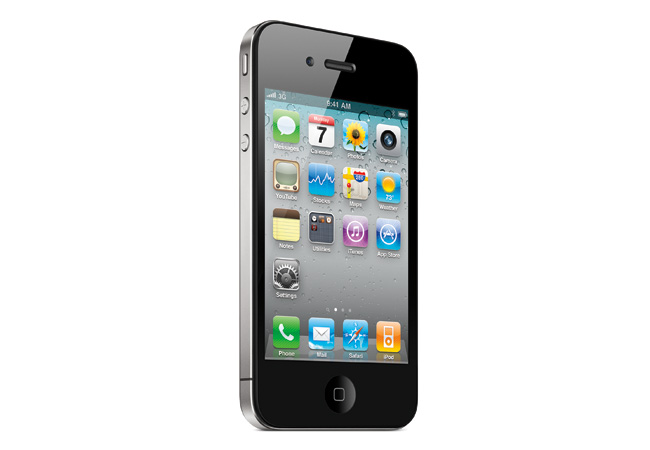
Steve Jobs introduced the iPhone 4 today, which he claims offers over 100 new features, though he would focus on only a handful for the keynote. The iPhone 4 looks like the iPhone prototype obtained under questionable circumstances by Gizmodo: stainless steel casing, all-glass front, and a design Jobs describes as the thinnest smartphone on the planet: almost 25 percent thinner than the iPhone 3GS.. Unlike previous iPhones, the iPhone 4 will have volume controls on the side of the phone along with an accessible microSIM tray. The iPhone 4 features a front-facing camera, and the back sports a microphone, 30pin connector for docking, and a speaker, while the top sports a second microphone for noise cancellation, sleep/wake button, and a headset input.
Jobs went on to highlight the bands around the side of the iPhone 4 that caused much speculation in the wake of the leaked prototypes. Jobs identified them as part of the phone’s antenna system, saying the stainless steel band is also a primarily structural element of the device. The antenna supports all the iPhone 4’s wireless capability, from 3G to Wi-Fi to Bluetooth to GPS along with cellular communications.
iPhone 4: Retina Display
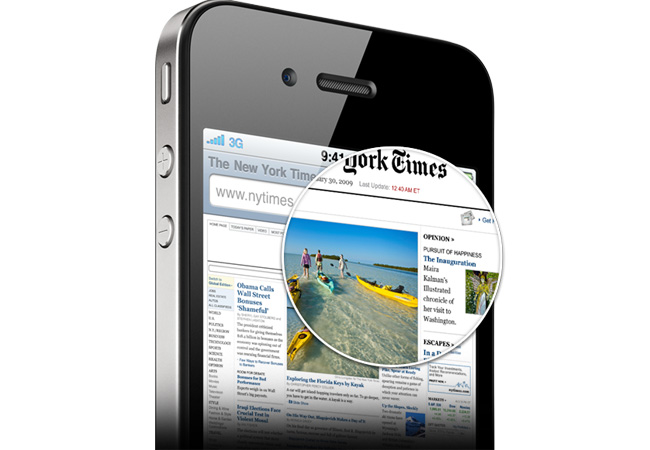
The iPhone 4 will also sport what Jobs described as a “retina display” with four times the pixel density of a typical LCD display at a whopping 326 pixels per inch—by far denser than anything else in the consumer electronics market. The result is a 3.5-inch display with a native resolution of 960 by 640 pixels that is actually a higher resolution than the typical human eye is capable of perceiving, when held at a distance of just 10 to 12 inches. Jobs claims the iPhone 4’s display winds up looking like a high quality printed book (albeit that emits light!) rather than a blocky pixellated grid. The iPhone OS automatically handles rendering text and controls at the higher resolution for the iPhone 4, so developers don’t need to do anything to update their applications to look good on the new display…but,
of course, if developers want to add higher-resolution graphics to their apps, they will look stunning on the iPhone 4.
iPhone 4: A4 Chip and Gyroscope
The iPhone 4 will also feature an Apple-designed A4 CPU, following along the lines of the processor powering the iPad. Jobs said the A4 processor improved power management, so the iPhone 4 will manage 40 percent more talk time on 3G networks (up to 7 hours), or up to 6 hours of 3G Web browsing or 10 hours of Wi-Fi browsing. The device can also play up to 10 hours of video, 40 hours of music, and should have an standby time of up to 300 hours. The iPhone 4 will also pack up to 32 GB of onboard flash storage, and will offer quad-band HSDPA/HSUPA for mobile broadband speeds up to 7.2Mbps downstream, 4.8Mbps upstream…assuming carrier networks support that technology. The iPhone 4 will also support 802.11n Wi-Fi, assisted GPS, Bluetooth, and packs and accelerometer, compass, proximity sensor, and an ambient light sensor,. The iPhone 4 also sports a gyroscope, which enables six-axis motion sensing…just like a game controller, and iPhone OS 4 will offer developer APIs to leverage the gyroscope: Jobs envisions the gyroscope enabling whole new types of mobile gaming.
iPhone 4: Camera & iMovie
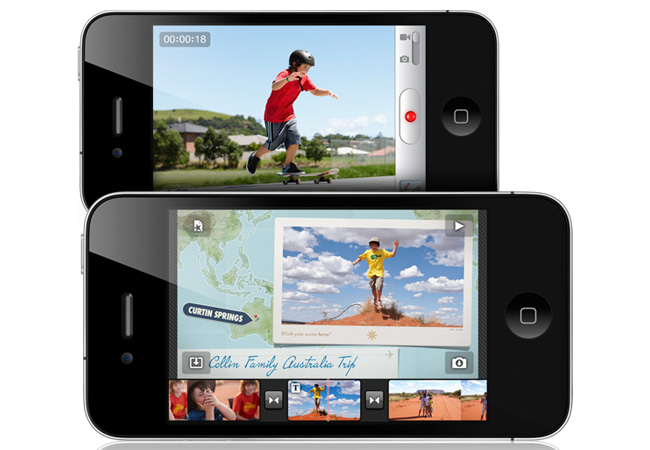
The iPhone 4 will feature a 5 megapixel camera with a backside-illuminated sensor, which Jobs says increases the amount of light captured by the sensor, resulting in better photographs, particularly in low-light situations. The camera will also record HD video at 720p resolution and 30 frames per second, and the LED flash can be used to light video as well. Like the iPhone 3GS, the iPhone 4 will feature in-phone video editing and enable users to share video the the Internet (think Facebook and YouTube). However, Apple is pushing the video editing envelope with a new iMovie application for iPhone, that enables users to assemble and trim clips and record directly into an iMovie timeline. Users can also add camera photos to their movies (complete with the pan-and-scan Ken Burns effect), and iMovie for iPhone will enable users to add titles and transitions to their videos. The iPhone 4 camera embeds geolocation information in video; iMovie for iPhone can optional display display that information. Users can also add music as a soundtrack to their video, and select from a number of pre-generated themes. iMovie for iPhone will be available as a separate purchase from the App Store for $4.99.
iPhone 4: Bing
Among new features in iOS 4 will be an option to use Microsoft’s Bing as a default search engine; Google will still be the iPhone’s default search, but Yahoo and Bing-powered searches will be available as options. Note that Bing will be taking over the back end for Yahoo’s search services later this year.
iBooks for iPhone
Apple also announced a version of iBooks will be available for iPhone, with feature parity to the iPad edition (complete with previously-announced PDF and annotations support). The applications will be able to synchronize across devices, so users will be able to start reading an iBook on an iPad, then pick up at the same spot on the iPhone. Users will be able to download purchased books to all their supported devices at no extra charge.
No Longer iPhone OS 4: iOS 4
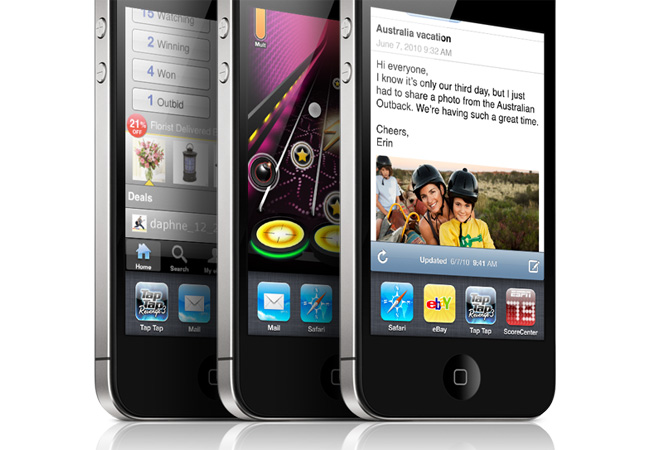
Since it won’t do to have an iPad running something called “iPhone OS,” Apple has decided to rename its mobile device operating system to simply “iOS 4,” encompassing all its mobile devices: the iPhone, the iPad, and the iPod touch. iOS 4 will have the features Apple outlined back in April, including a form of multitasking support (so applications like Pandora can stream music in the background while an iPhone user, say, surfs the Web in Safari), a unified Mail inbox that supports multiple services, home screen folders, a Game Center, and improved support for Microsoft Exchange and enterprise users. However, developers will probably be more intrigued by a boatload of new APIs and significantly deepened features. Developers at WWDC will be able to set hands on a release candidate today.
iAds
Jobs also took a moment to highlight Apple’s new in-application advertising platform iAds: according to Jobs, Apple is developing iAds as a revenue channel for developers so they can earn money from applications in ways other than direct sales to users. As outlined last April, Apple is aiming for high amounts of interactivity and engagement with iAds, building on HTML5 technologies rather than the still-industry-standard Adobe Flash. Apple will host all the advertising and handle ad sales, so all applications developers have to do is specify where in the applications the ads should be placed, then collect 60 percent of the revenue from placements in their applications. Apple has only been selling iAds for about two months—they should go live Jule 1—and so far has many major brands on board, including Disney (Jobs is Disney’s biggest single shareholder, remember), Target, Best Buy, Geico, DirecTV, and other major brands. Unlike traditional banner ads that eject users from applications out into Web browsers, iAds run without exiting a user’s application, providing an interactive experience without causing people to leave apps, or lose work or messages: the goal is an engaging experience that users know is “safe” regardless of the app they’re using.
Video Calling
Of course, that front-facing camera in the iPhone 4 exists for one and only one purpose: video calls. Jobs demonstrated what Apple is dubbing FaceTime video calling with the iPhone 4. The feature will initially be Wi-Fi only and operate iPhone 4 devices—no word in whether FaceTime will support, say, desktops or notebooks equipped with cameras. Users will be able to switch to the rear-mounted 5 megapixel camera on the iPhone 4 to let callers see what they’re seeing, or stick with the front-facing camera for face-to-face chat. Jobs says Apple plans to work with mobile operators to make FaceTime available over 3G data services. Apple says it plans to ship millions of FaceTime-capable devices this year—and if current iPhone sales are any indicator, they’re right—so iPhone 4 users will have plenty of people to talk to. (How far off is an app called FaceTime Roulette?)
Apple says the technology behind FaceTime will be come an industry standard, and will be supported by other devices and services.
iPhone 4 Pricing and Availability
The iPhone 4 will be available June 24 in black or white, with pricing set at $199 for a 16 GB model and $299 for a 32 GB model: those price points match the iPhone 3GS. Initial availability will be the United States, France, Germany, Japan, and the United Kingdom.
In the United States AT&T will enable any iPhone user whose contract expires in 2010 to upgrade to the iPhone 4 for $199 or $299 (for the 16 GB or 32 GB model) if users top off their contracts for another two years of service.
Apple plans to continue selling the iPhone 3GS, with the 8 GB model going for $99.
Pre-orders for the iPhone 4 will open on June 15.
Apple plans to begin offering the iPhone 4 in 18 more countries in July, followed by 24 additional countries in August and 40 more countries in September.
Apple will offer a selection of accessories, including a $29 dock and a “bumper” case in various colors.
iOS 4 Availability
Apple’s iOS 4 will ship standard on new iPhone 4 handsets. Apple plans to make iOS 4 available on June 21 for the iPhone 3GS, iPhone 3G, and iPod touch—although there will be some limitations and some iOS 4 features wont be supported on older handsets. (For instance, multitasking will not be supported on the original iPhone 3G. Apple’s original EDGE-only iPhone, released in 2007, won’t support iOS 4 at all.)
Official iPhone 4 Video
iPhone 4 Pictures
Size and weight
Height:
4.5 inches (115.2 mm)
Width:
2.31 inches (58.6 mm)
Depth:
0.37 inch (9.3 mm)
Weight:
4.8 ounces (137 grams)
Cellular and wireless
UMTS/HSDPA/HSUPA (850, 900, 1900, 2100 MHz)
GSM/EDGE (850, 900, 1800, 1900 MHz)
802.11b/g/n Wi-Fi (802.11n 2.4GHz only)
Bluetooth 2.1 + EDR wireless technology
Location
Assisted GPS
Digital compass
Wi-Fi
Cellular
Power and battery
Built-in rechargeable lithium-ion battery
Charging via USB to computer system or power adapter
Talk time:
Up to 7 hours on 3G
Up to 14 hours on 2G
Standby time: Up to 300 hours
Internet use:
Up to 6 hours on 3G
Up to 10 hours on Wi-Fi
Video playback: Up to 10 hours
Audio playback: Up to 40 hours
Mac system requirements
Mac computer with USB 2.0 port
Mac OS X v10.5.8 or later
iTunes 9.2 or later (free download from www.itunes.com/download)
iTunes Store account
Internet access
Windows system requirements
PC with USB 2.0 port
Windows 7; Windows Vista; or Windows XP Home or Professional with Service Pack 3 or later
iTunes 9.2 or later (free download from www.itunes.com/download)
iTunes Store account
Internet access
Environmental requirements
Operating temperature: 32° to 95° F (0° to 35° C)
Nonoperating temperature: -4° to 113° F (-20° to 45° C)
Fingerprint-resistant oleophobic coating on front and back
Support for display of multiple languages and characters simultaneously
Audio playback
Frequency response: 20Hz to 20,000Hz
Audio formats supported: AAC (8 to 320 Kbps), Protected AAC (from iTunes Store), HE-AAC, MP3 (8 to 320 Kbps), MP3 VBR, Audible (formats 2, 3, 4, Audible Enhanced Audio, AAX, and AAX+), Apple Lossless, AIFF, and WAV
User-configurable maximum volume limit
TV and video
Video formats supported: H.264 video up to 720p, 30 frames per second, Main Profile level 3.1 with AAC-LC audio up to 160 Kbps, 48kHz, stereo audio in .m4v, .mp4, and .mov file formats; MPEG-4 video, up to 2.5 Mbps, 640 by 480 pixels, 30 frames per second, Simple Profile with AAC-LC audio up to 160 Kbps per channel, 48kHz, stereo audio in .m4v, .mp4, and .mov file formats; Motion JPEG (M-JPEG) up to 35 Mbps, 1280 by 720 pixels, 30 frames per second, audio in ulaw, PCM stereo audio in .avi file format
Support for 1024 by 768 pixels with Dock Connector to VGA Adapter; 576p and 480p with Apple Component AV Cable; 576i and 480i with Apple Composite AV Cable (cables sold separately)
Languages
Language support for English (U.S.), English (UK), French (France), German, Traditional Chinese, Simplified Chinese, Dutch, Italian, Spanish, Portuguese (Brazil), Portuguese (Portugal), Danish, Swedish, Finnish, Norwegian, Korean, Japanese, Russian, Polish, Turkish, Ukrainian, Hungarian, Arabic, Thai, Czech, Greek, Hebrew, Indonesian, Malay, Romanian, Slovak, Croatian, Catalan, and Vietnamese
Keyboard support for English (U.S.), English (UK), French (France), French (Canadian), French (Switzerland), German, Traditional Chinese (Handwriting, Pinyin, Zhuyin, Cangjie, Wubihua), Simplified Chinese (Handwriting, Pinyin, Wubihua), Dutch, Italian, Spanish, Portuguese (Brazil), Portuguese (Portugal), Danish, Swedish, Finnish, Norwegian, Korean, Japanese (Romaji), Japanese (Kana), Russian, Polish, Turkish, Ukrainian, Estonian, Hungarian, Icelandic, Lithuanian, Latvian, Flemish, Arabic, Thai, Czech, Greek, Hebrew, Indonesian, Malay, Romanian, Slovak, Croatian, Bulgarian, Serbian (Cyrillic/Latin), Catalan, and Vietnamese
Dictionary support (enables predictive text and autocorrect) for English (U.S.), English (UK), French, German, Traditional Chinese, Simplified Chinese, Dutch, Italian, Spanish, Portuguese (Brazil), Portuguese (Portugal), Danish, Swedish, Finnish, Norwegian, Korean, Japanese (Romaji), Japanese (Kana), Russian, Polish, Turkish, Ukrainian, Hungarian, Lithuanian, Flemish, Arabic, Thai, Czech, Greek, Hebrew, Indonesian, Malaysian, Romanian, Slovak, Croatian, Catalan, and Vietnamese
Camera, photos, and video
Video recording, HD (720p) up to 30 frames per second with audio
5-megapixel still camera
VGA-quality photos and video at up to 30 frames per second with the front camera